Unifying the dashboard experience for scientific researchers


MY ROLE
Product designer
TIMELINE
September 2024 - March 2025
TEAM
1 product owner, 2 developers, 3 experts
CHALLENGE
RESULTS
Partial rollout
+ 5%
Geographic visualization interactions
+ 3%
Dashboard usage
+ 3%
Temporal visualization interactions
EXPECTED IMPACT
Reduced time switching between views
Increased adoption beyond taxonomy sunburst
Improved pattern discovery through interactivity
Two dashboards became one unified experience
Before

Before: dashboard #1

Before: dashboard #2
After
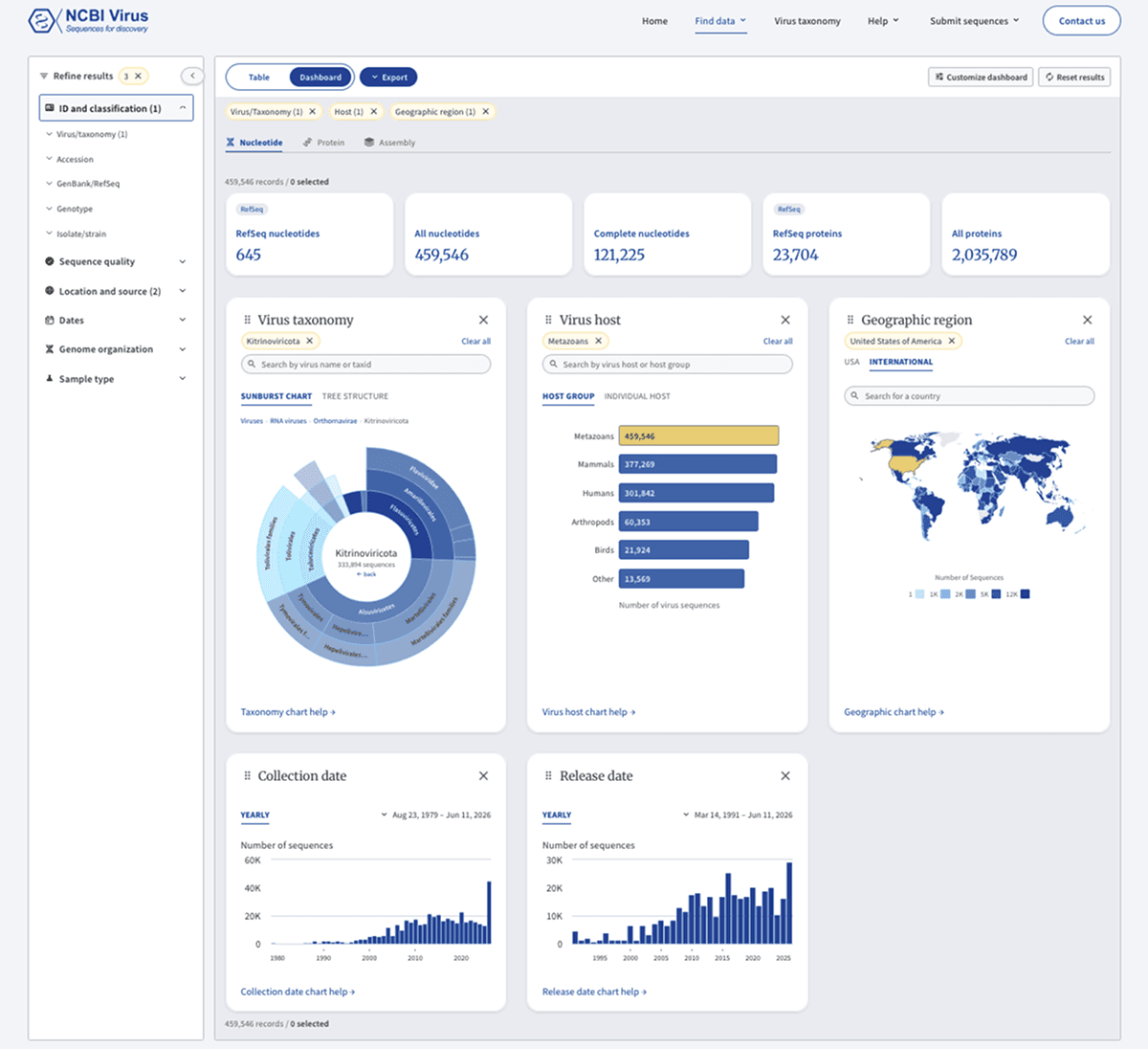
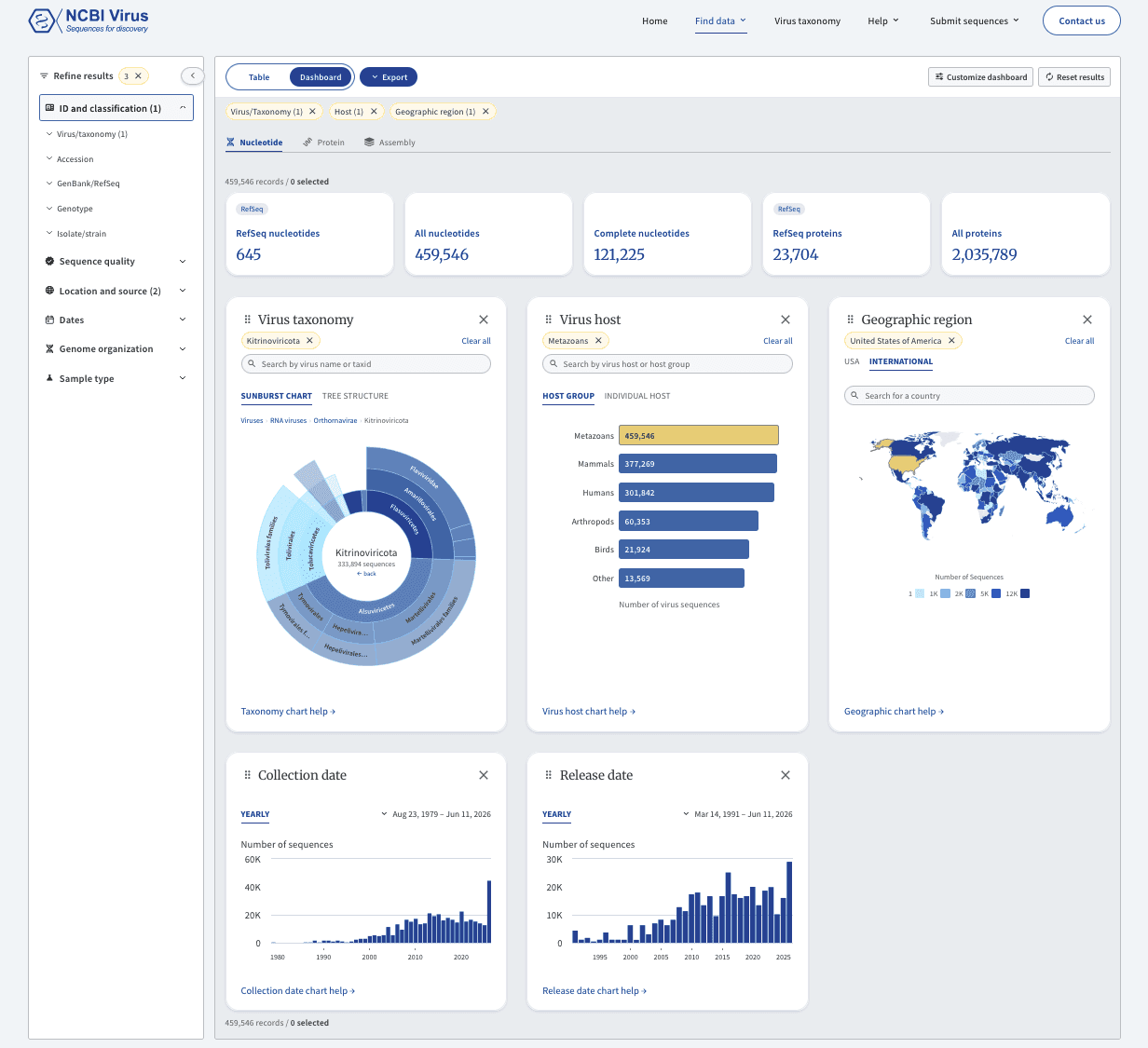
After: one consolidated dashboard
PROBLEM DISCOVERY
Analyzed data and user workflows, revealing dashboard fragmentation and underutilization
01
Single widget focus:
Most researchers used only the taxonomy sunburst from the first dashboard and the geographic map from the second dashboard, leaving other visualizations practically untouched.
02
Low dashboard adoption:
The second dashboard had very low usage overall, with switching back to the Results Table page being its most used feature.


Numbers show feature usage rank (1 = most used). Researchers relied on just 2 of 15 widgets.
USER RESEARCH RESULTS
Two distinct workflows revealed why dashboards were underutilized
User research identified two dashboard workflows:
Dashboard-First Users: Explore visualizations first → then analyze details in the results table
Table-First Users: Filter data in the table → visualize patterns → return to export
Beyond the issues found in analytics, both groups faced additional problems:
03
Couldn't find dashboards
04
Couldn't see data relationships
05
Lost their work when switching to another view
06
Didn't understand widgets
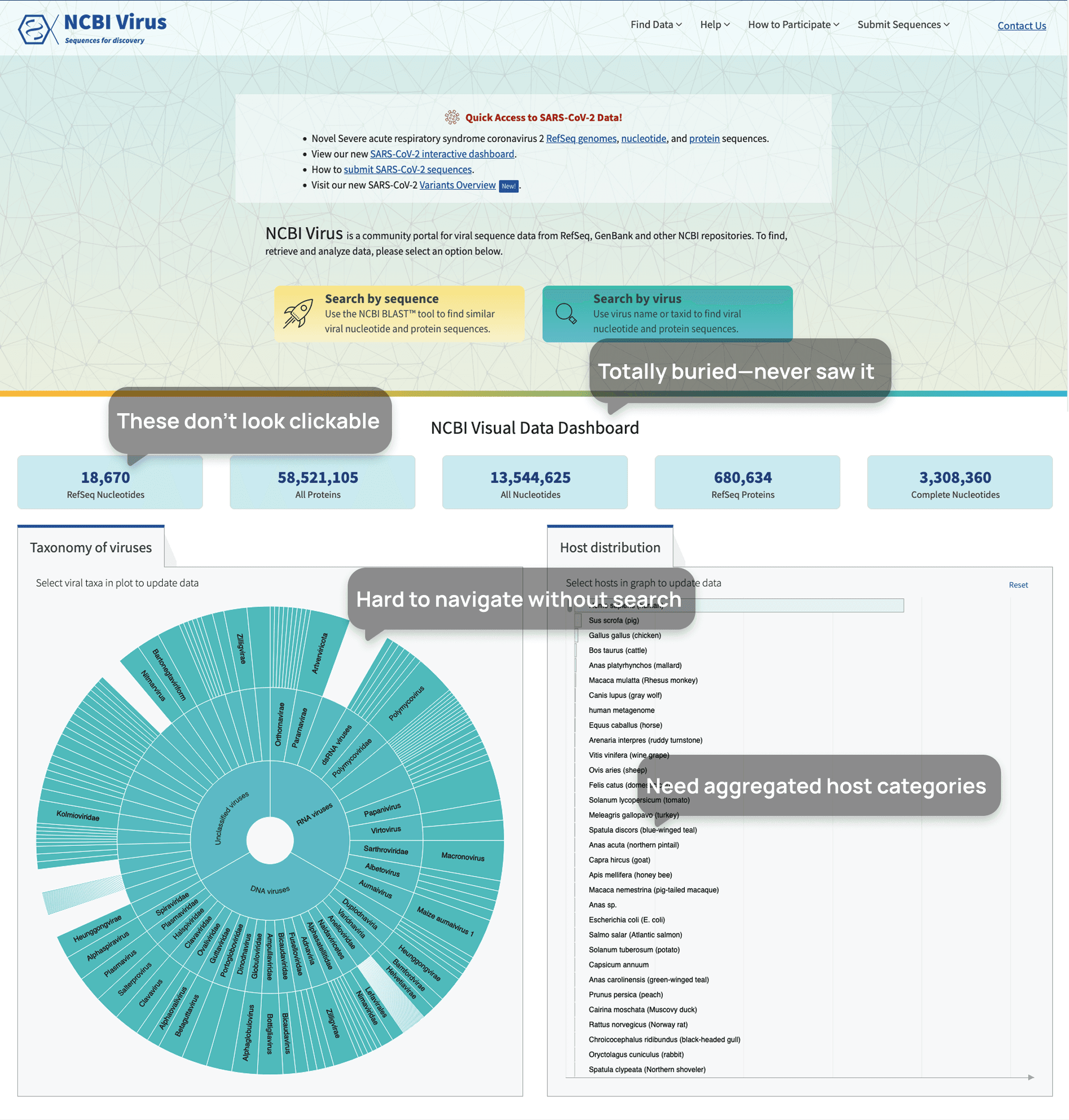

Homepage dashboard undiscoverable below the fold and incomplete


Second dashboard is undiscoverable with interactivity issues
DESIGN EXPLORATION
Dashboard and table on one page versus two separate pages
I evaluated two approaches for unifying the dashboard experience.
01
Combining the dashboard and results table on one page promised seamless navigation but risked performance issues due to heavy data loads.
02
Separate pages with synchronized filters offered reliability while preserving user selections.
Developer constraints on data handling led us to choose synced filters. This balanced usability with technical feasibility.
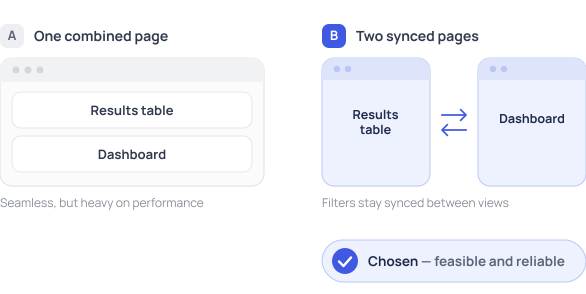

Dashboard placement options
SUCCESS METRICS
Targeting discoverability, unity, and research impact
I set clear goals to transform the dashboard.
01
Better dashboard discoverability - Researchers can easily find and access all visualization tools
02
Unified dashboard experience - All dashboards consolidated in one location
03
Increased research impact - Researchers cite our resource in their publications and use our dashboard visualizations in their work
DESIGN SOLUTIONS
Combined two dashboards into one, connected it to Results Table through shared filters, and enhanced charts
I transformed fragmented visualizations into a connected data exploration experience.
01
Unified dashboards and connected with the results table
Combined two dashboards into one
Synced filters across views
Made chart interactivity visible
02
Improved chart functionality
Added search to taxonomy and host charts
Grouped related hosts; added a taxonomy tree for navigation
Explained color coding and added labels and filters to time-based charts
Explore the key design decisions
LEARNINGS
A unified dashboard reveals hidden data patterns
Designing interactive data visualizations deepened my understanding of how researchers explore complex datasets and the critical role dashboards play in revealing patterns across thousands of data points.
OTHER WORK
Verifying the end-to-end workflow with an AI-assisted prototype
From design to a working prototype, built with AI